AVD: Close Applications with App Manager
Purpose: close any frozen applications / applications that won't completely close.
Process
Step 1.
Navigate to your Desktop and find the "App Manager" application.
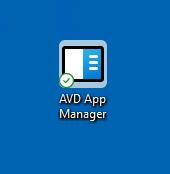
Double-click to open the application.
Step 2.
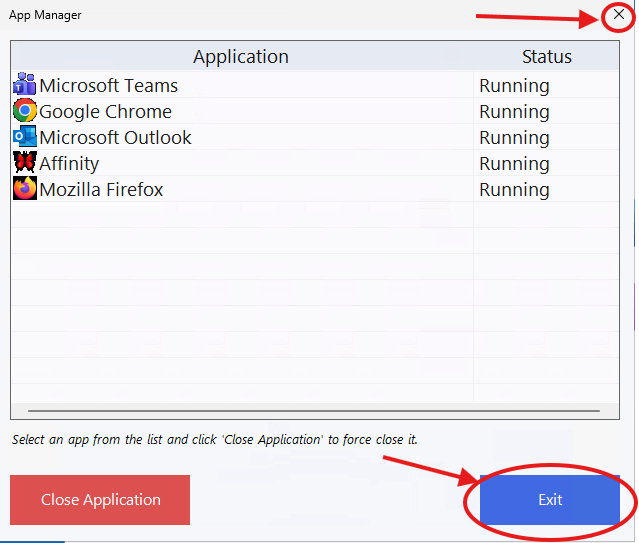
You'll see an image like this, but with only your currently open applications showing.
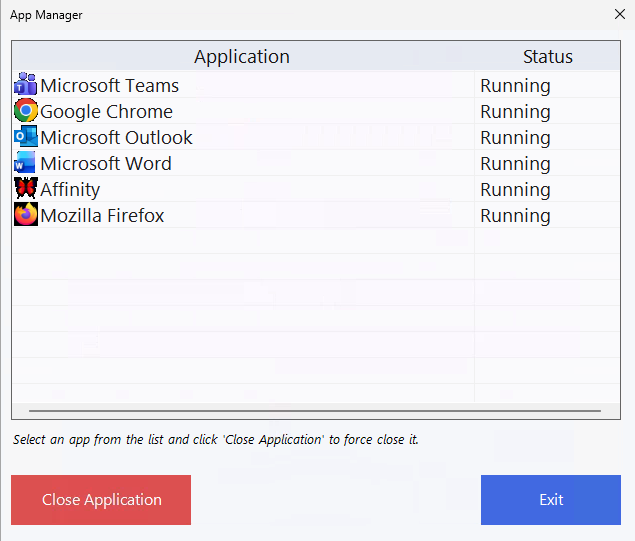
NOTE: Not all applications will show in this Manager. If you have an application you can't close and that doesn't appear here, please reach out to our Helpdesk for assistance.
Click the application that is frozen/unable to be closed
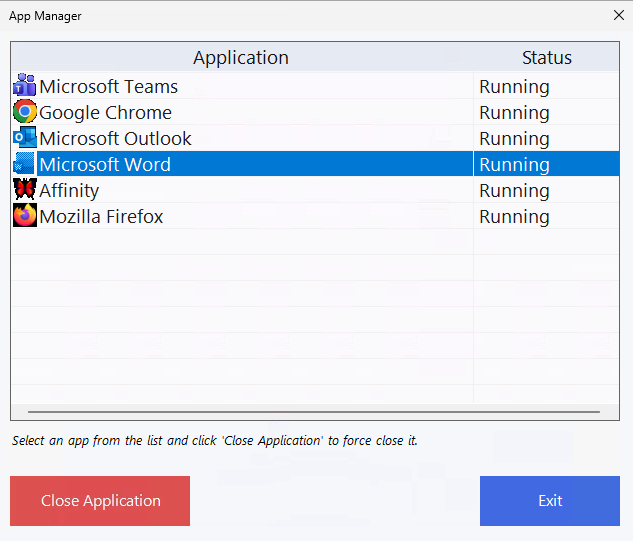
Now press the "Close Application" button on the bottom right.
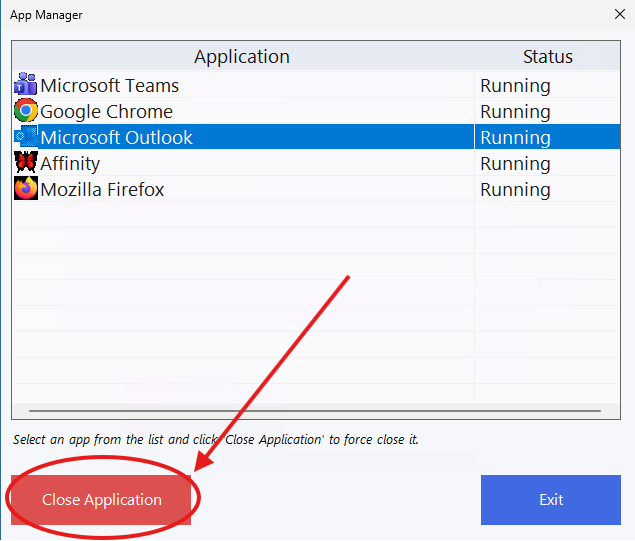
The application will close and the list will refresh within ~10 seconds.
Step 3.
Exit the application using either the "Exit" button or the X on the top right
Was this article helpful?
That’s Great!
Thank you for your feedback
Sorry! We couldn't be helpful
Thank you for your feedback
Feedback sent
We appreciate your effort and will try to fix the article