Cloud PC: Login from Mac
Table of Contents
- Key Points
Key Points
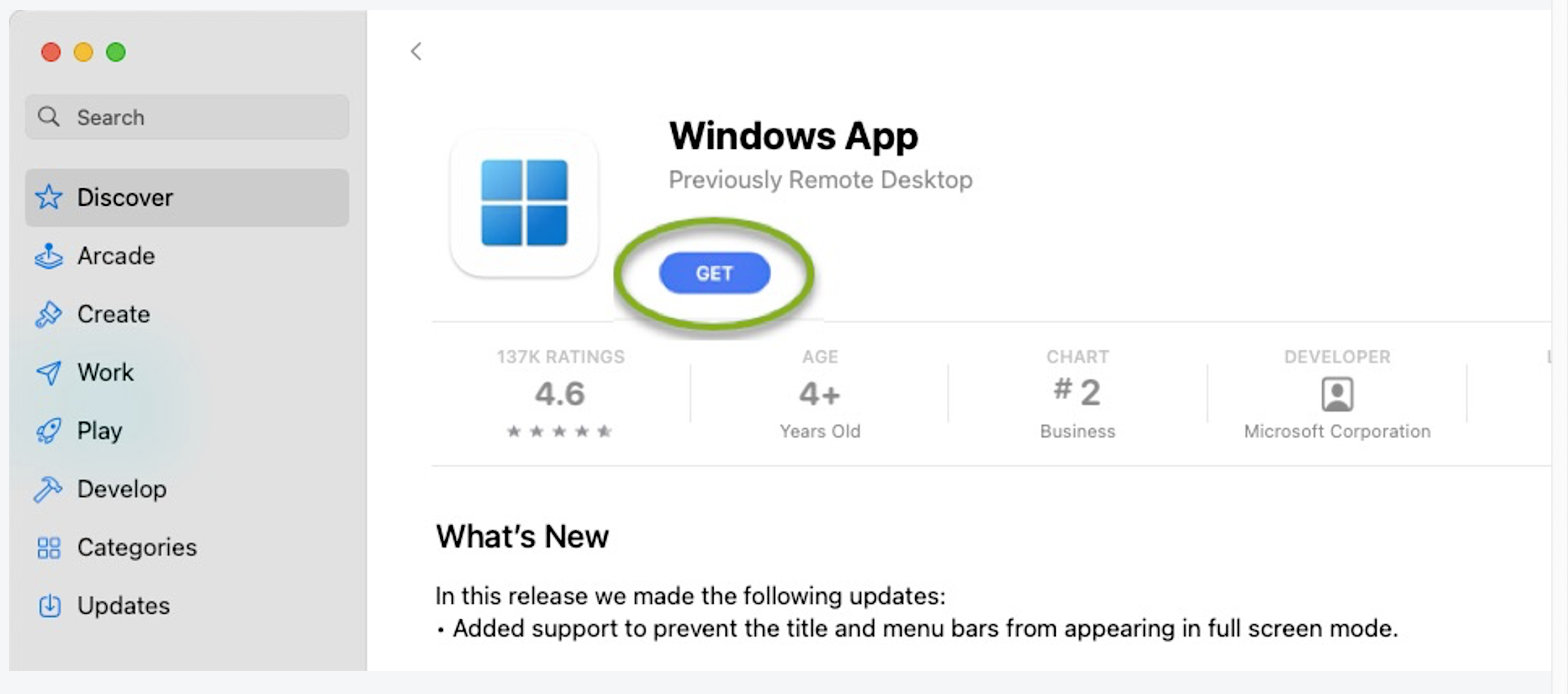
macOS version 10.14 or later is requiredStep 1: Open the App Store and search for Windows App. Click Get to download and install it.
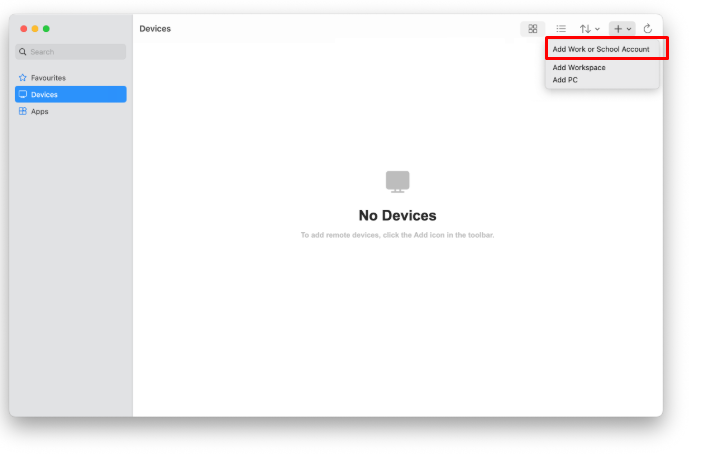
Step 2: Once installed, open the app, click the “+” icon, then select “Add Work or School Account” and follow the prompts.
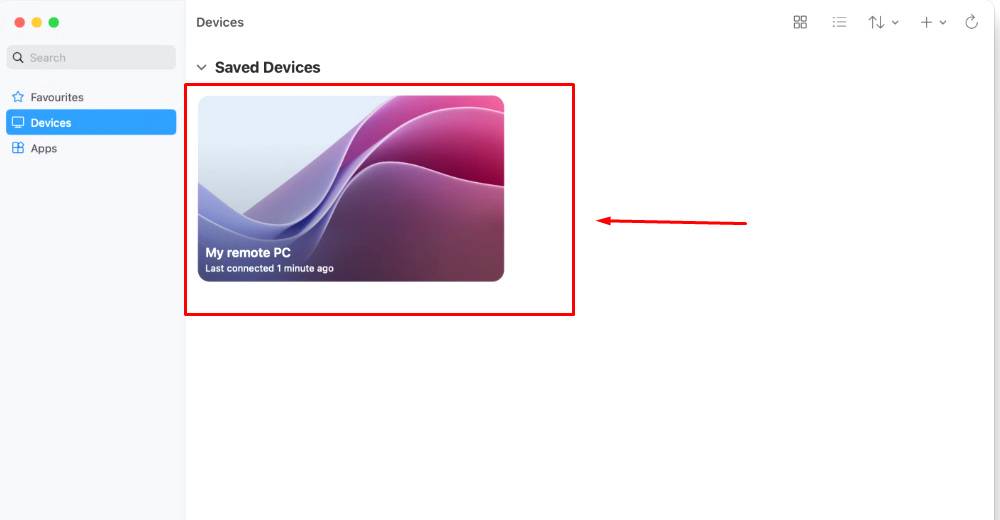
Step 3: Once signed in, connect to your CloudPc.
Was this article helpful?
That’s Great!
Thank you for your feedback
Sorry! We couldn't be helpful
Thank you for your feedback
Feedback sent
We appreciate your effort and will try to fix the article