How to test that your MFA is setup correctly
Process
Step 1 - Open an incognito tab
(Shortcut: CTRL + Shift + N)
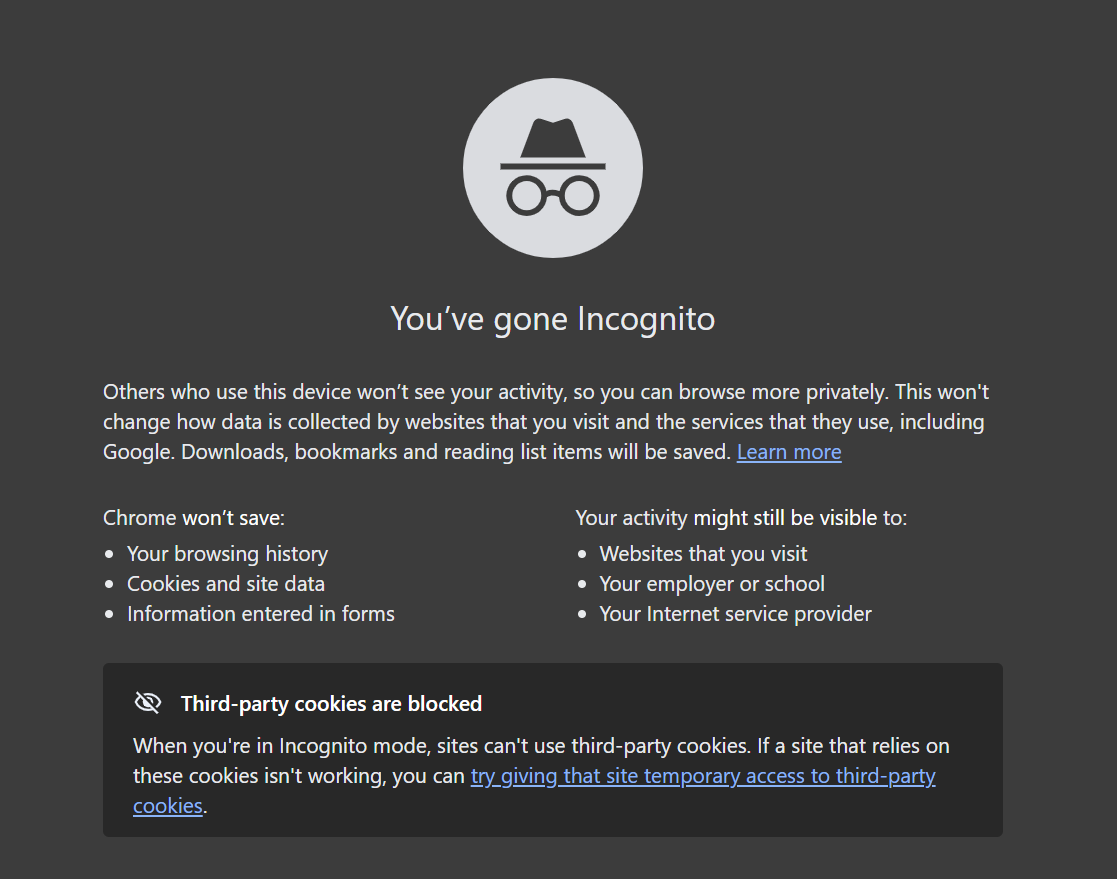
Step 2 - On the Incognito tab, Go to https://outlook.com and attempt a sign-in with your work email
You should see the following three pages, email address, password and multi-factor authentication:
Step 2a -
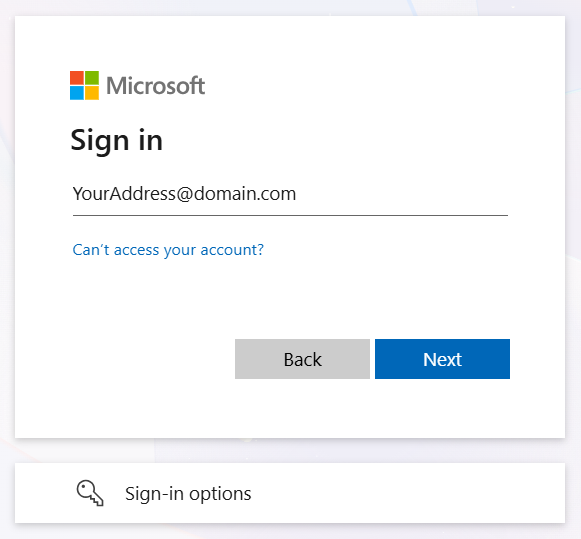
Step 2b -
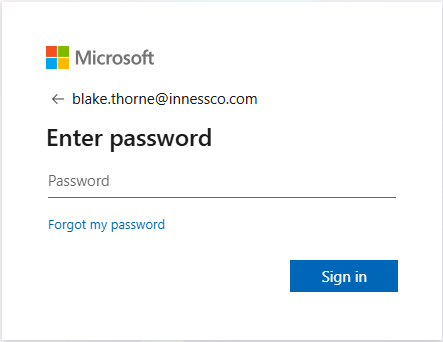
Step 2c -
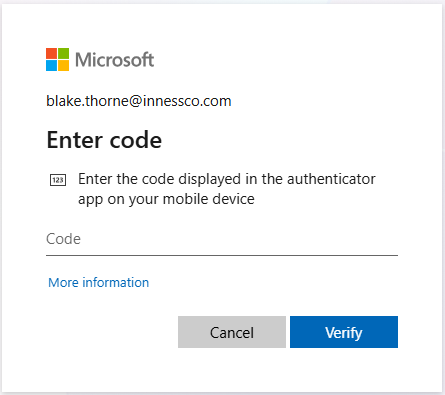
If you can successfully sign in to Outlook after entering your MFA code on Step 2c, your MFA is setup correctly and no further action is required.
If you don't see Step 2c prompting for a code, or if your code doesn't work after a couple of attempts, your MFA is not setup correctly.
If your MFA is not setup correctly, please contact our helpdesk (helpdesk@innessco.com or 02 7200 4444) to request an MFA reset. Once that is complete, please direct to the How to Setup your MFA Guide.
Was this article helpful?
That’s Great!
Thank you for your feedback
Sorry! We couldn't be helpful
Thank you for your feedback
Feedback sent
We appreciate your effort and will try to fix the article