Cloud PC: Empty your Recycle Bin
Process
Step 1.
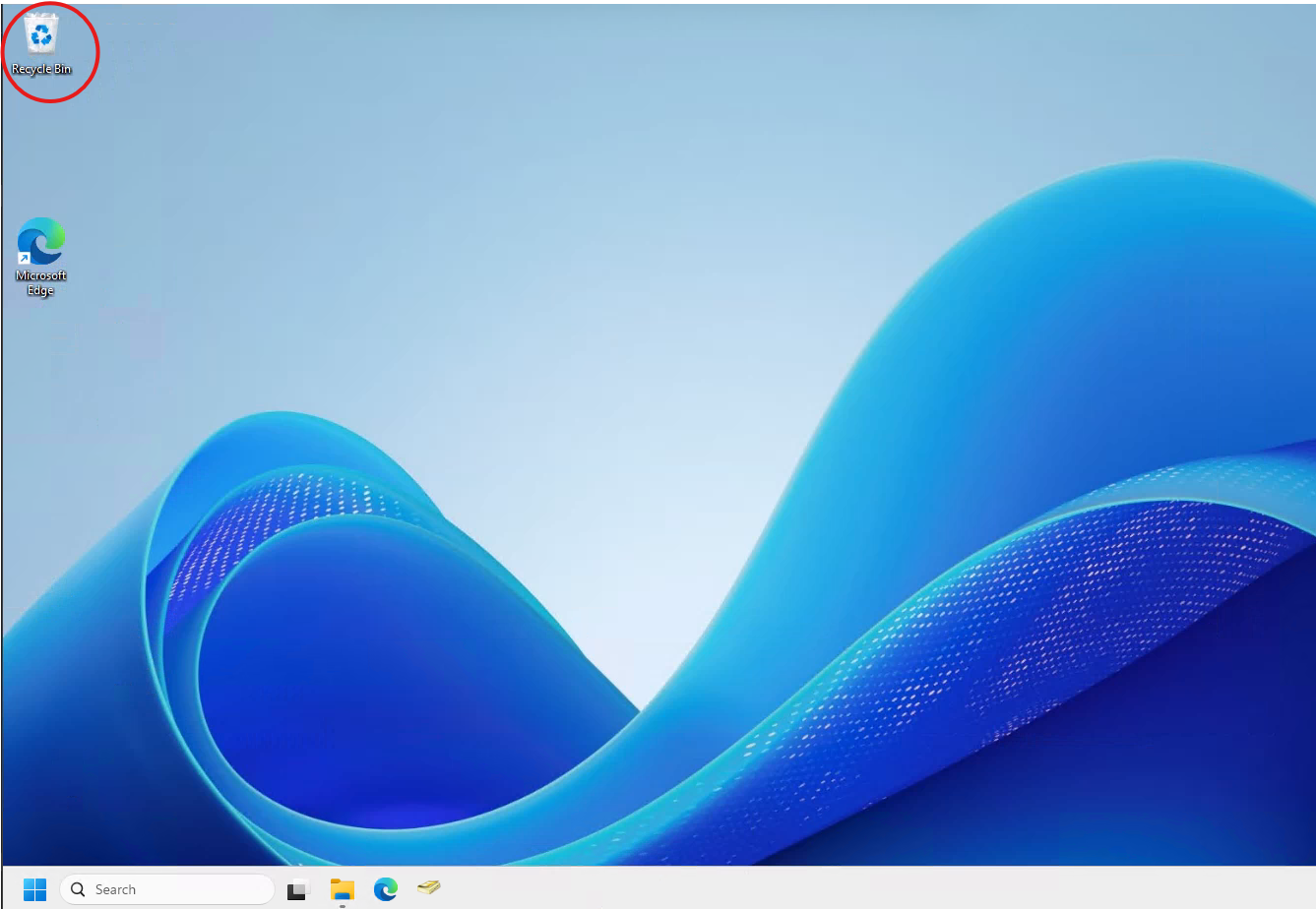
Open the Recycle Bin from your Desktop
(If you can't see it, try minimising all applications on your Cloud PC)

Step 2.
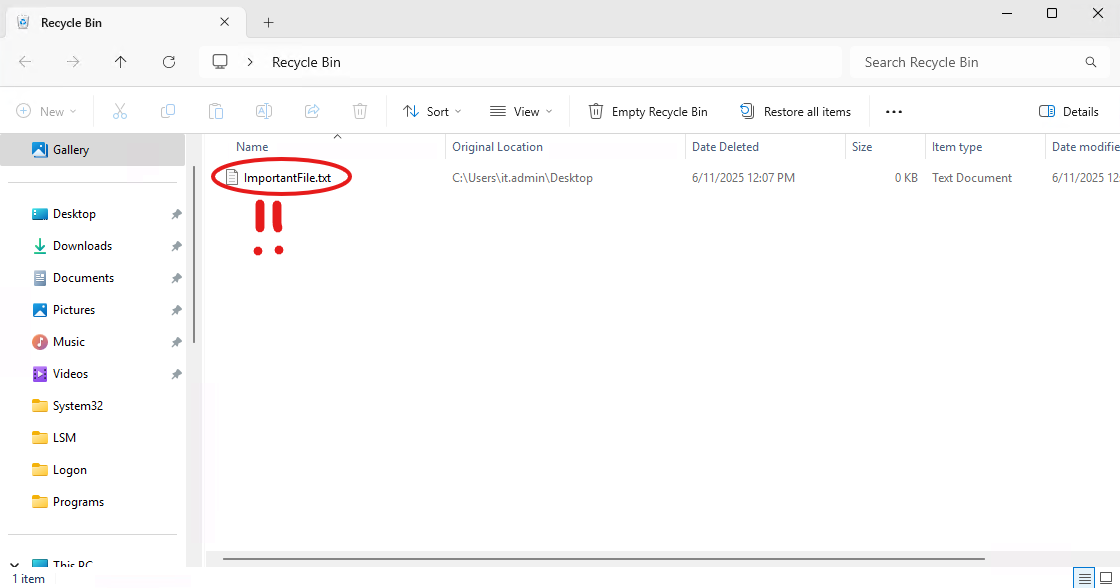
Verify that there are no important files you still need in your Recycle Bin
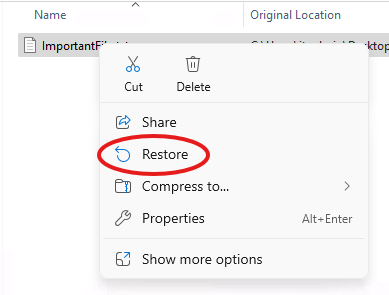
If you notice that there are any files you still need, simply select the File, Right-Click and Restore
Step 3.
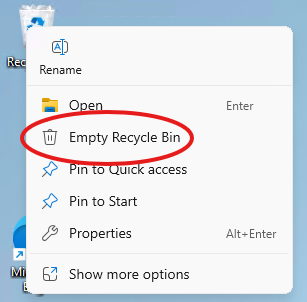
Right-Click and press the option "Empty Recycle Bin"
Was this article helpful?
That’s Great!
Thank you for your feedback
Sorry! We couldn't be helpful
Thank you for your feedback
Feedback sent
We appreciate your effort and will try to fix the article